Pinterest Private Video Downloader
Download Pinterest private videos in Full HD, 1080p, 2K, 4K
ADVERTISEMENT
How to Download a Private Pinterest Video
PinDown’s private Pinterest video downloader helps you download private Pinterest videos you have access to, including videos from private boards or restricted pins, in the best available quality. Save Pinterest private videos in MP4 format directly to your device using a web browser. No software installation or account registration is required.
Note: Pinterest private videos require an extra step because the video file is not publicly accessible. Please make sure you are logged in to Pinterest and have permission to view the video before proceeding.
Step 1: Open Pinterest.com in your browser and log in to your account.
Step 2: Navigate to the private board or restricted pin containing the video you want to download, then open the video in full view.
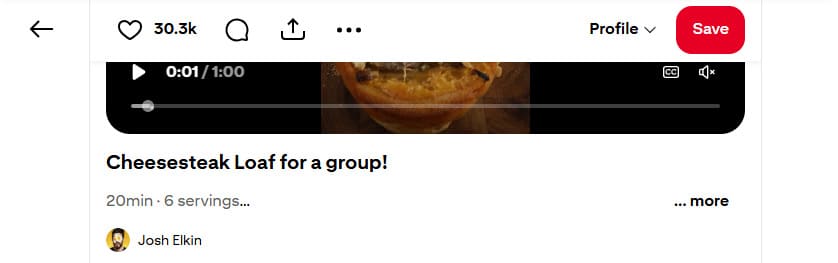
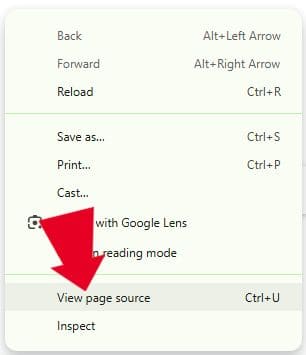
Step 3: View the page source by pressing Ctrl + U on Windows or ⌘ + Option + U on Mac, or by right-clicking anywhere on the page and selecting “View Page Source”.
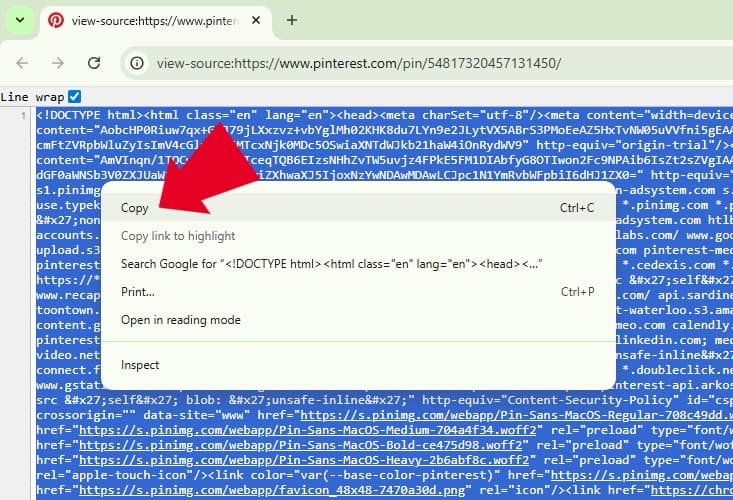
Step 4: Select all page source data using Ctrl + A (Windows) or ⌘ + A (Mac), then right-click and choose Copy.
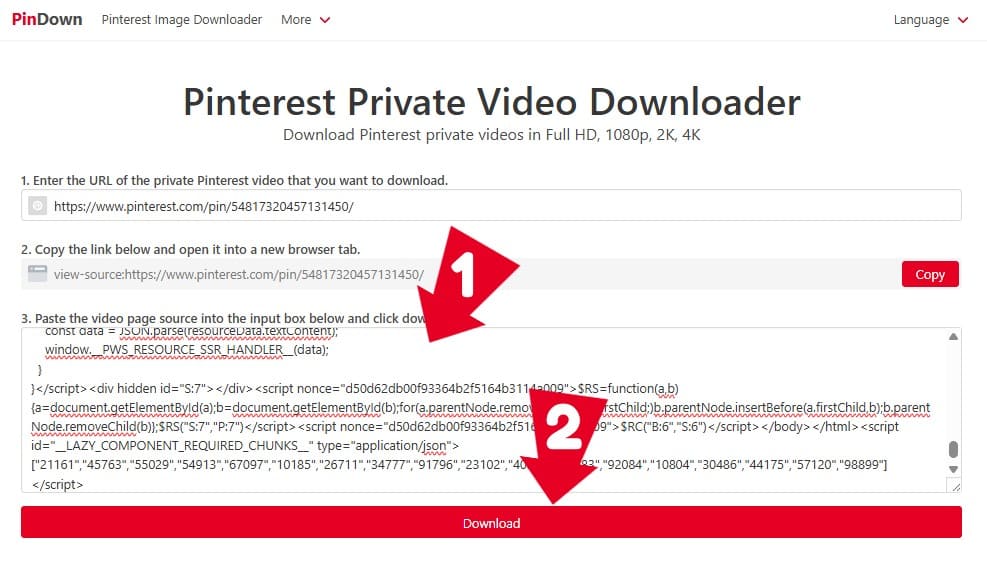
Step 5: Paste the copied page source into the input box on this page or visit https://pindown.io/pinterest-private-downloader, then click Download. Our system will extract the video file and generate download links.
Step 6: Choose your preferred MP4 quality and save the Pinterest video to your device.
What Is a Private Pinterest Video Downloader?
A Private Pinterest Video Downloader is an online tool that allows users to download Pinterest videos that are not publicly accessible. These videos are usually saved in private boards, shared with selected collaborators, or restricted to specific Pinterest accounts.
Unlike public Pinterest videos, private videos cannot be downloaded using standard Pinterest video downloaders because the video file is only available to logged-in users with viewing permission. A private Pinterest video downloader works by extracting the video data from the page source after the user opens the video in their own Pinterest account.
- Save videos from private Pinterest boards.
- Download videos shared with you by collaborators.
- Keep offline copies of Pinterest videos you are allowed to view.
- Download restricted Pinterest video content for personal use.
Frequently Asked Questions
Why should you use PinDown to download private Pinterest videos?
PinDown’s private Pinterest video downloader allows you to download private Pinterest videos you have access to in the best available quality. You can save videos from private boards or restricted pins directly from your browser without installing any supporting software.
What is a Private Pinterest Video?
A private Pinterest video is a video saved in a private board, shared only with selected collaborators, or restricted to specific Pinterest accounts. PinDown’s Pinterest private video downloader helps you download these videos in MP4 format when standard Pinterest downloaders do not work.
Is it possible to download HD private Pinterest videos?
Yes. PinDown allows you to download private Pinterest videos in the best quality available, including HD, Full HD, 1080p, 2K, and 4K, depending on the original video quality provided by Pinterest.
Is it possible to download audio (MP3) from Pinterest videos?
PinDown supports extracting audio from Pinterest videos when available, allowing you to download Pinterest video audio in MP3 format for personal use without installing additional software.
Where are Pinterest videos saved after downloading?
Downloaded Pinterest videos are saved in the Downloads folder on your device or can be found in your browser’s download history, depending on your browser settings.